IPTV multi-device plans: the prices
The prices are simple, and they are the cheapest way to cover a household. Annual Premium for one device is $99.99. Two devices is $159.99 — the second screen adds $60 a year, or $5 a month. Three devices is $224.99 — the third adds $65. Four devices is $269.99 — the fourth adds $45. Basic follows the same shape: one device $59.99 a year, two devices $109.99, three devices $159.99 and four devices $199.99. Compare that with cable, which charges $10 to $15 per month per box — $120 to $180 a year for each extra TV — and with YouTube TV, which allows three streams but costs $82.99 a month for the whole household. A family of four with three TVs pays $224.99 a year for IPTV Premium against $1,440 or more for cable with three boxes.
The mistake is buying the single-device plan for a multi-TV house. A household with a living-room TV, a bedroom TV and a tablet will fight over the one stream by the second Sunday, and the fix — a second subscription — costs more than buying the right plan in the first place. The trial is the moment to find out: start the game on the Firestick in the living room and a movie on the tablet in the kitchen at the same time, and see whether both hold. If the second screen shows an error while the first plays cleanly, the plan is too small. Buy the plan that fits the house, not the plan that fits the budget — the difference between one device and two is $60 a year, or $5 a month, and it ends the argument.
How multi-device works
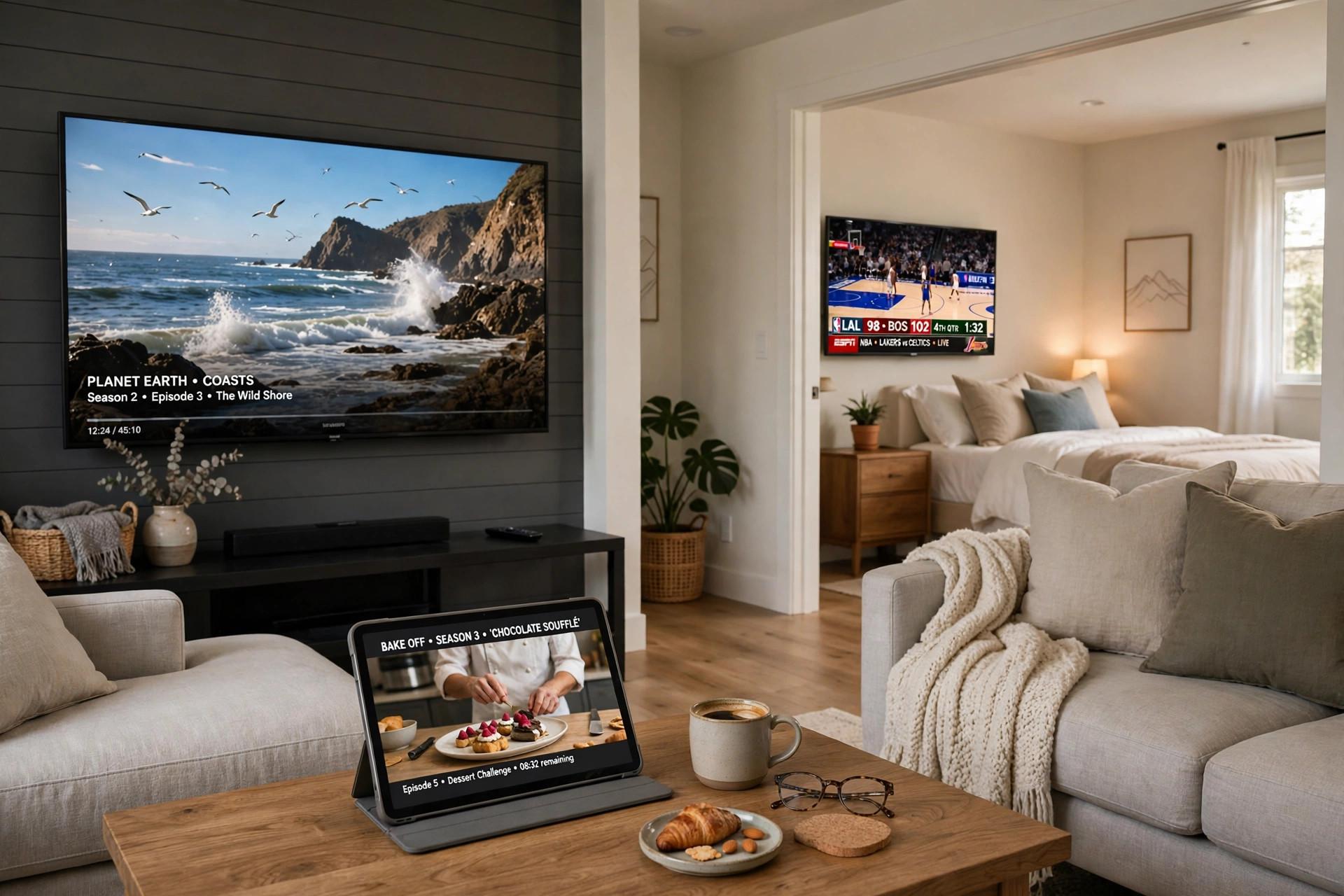
Multi-device means simultaneous streams — two, three or four screens watching different things at the same time, on the same account. Each device logs in with the same details sent on WhatsApp, and each one gets its own player app: IBO Pro Player on the Firestick in the living room, TiviMate on the Android TV in the bedroom, IPTV Smarters Pro on the tablet in the kitchen. The devices do not need to be the same, and they do not need to be in the same house — the plan covers the devices, not the address. Set up favorites on each device separately, because the living room watches the game and the bedroom watches the series, and each remote should open to its own twenty channels.
The limit is the number of simultaneous streams, not the number of devices installed. A four-device plan can have the app installed on six devices, as long as only four stream at once. That matters for a household with a phone, a tablet and two TVs — four screens installed, three streaming on a Sunday, and the fourth idle. If a fifth screen starts while four are running, the fifth shows an error, and the fix is to stop one of the four. The installation guide covers the setup for all 13 devices, and support sets each one up free over WhatsApp if a step stalls.
Setting up each screen
Setup takes five minutes per device, and the trial week is the time to do all of them. Firestick: IBO Pro Player via Downloader (ask on WhatsApp for the current code), then the MAC address and key sent on WhatsApp. Android TV and Shield: TiviMate with Xtream Codes login. Samsung and LG Smart TVs: IBO Player from the app store. iPhone, iPad and Apple TV: IPTV Smarters Pro. Windows and Mac: the same app or VLC. Roku: screen mirroring from a phone. Do the installs while the old provider still works, so a stuck step costs an evening of the old service instead of an evening of no service — and message support on WhatsApp if any step stalls, because the installation help is free and a technician answers in minutes.
Test each screen the way its room watches. The living-room TV gets the game at 8 p.m. — the prime-time test, the last two minutes, the picture holding through the fourth quarter. The bedroom TV gets the series at 9 p.m. — the subtitles, the episodes in order, the picture in a dark scene. The tablet gets the morning show in the kitchen — the guide, the favorites, the channel opening in under three seconds. A screen that passes its own test is a screen that will not cause an argument, and the household that tests all of them in the trial week has no surprises in the first month.
| Plan | Devices | Annual price | Per extra screen | Best for |
|---|---|---|---|---|
| Premium 1 device | 1 | $99.99 | — | One person, one TV |
| Premium 2 devices | 2 | $159.99 | $60 a year | Couple, two TVs |
| Premium 3 devices | 3 | $224.99 | $65 a year | Family, three screens |
| Premium 4 devices | 4 | $269.99 | $45 a year | Family of four |
| Basic 2 devices | 2 | $109.99 | $50 a year | Budget, two TVs |
| Basic 4 devices | 4 | $199.99 | $40 a year | Budget, four screens |
The second-screen test
The second-screen test is the one test most buyers skip, and it is the one that causes the most arguments. Run it during the free 24-hour trial: start the game on the Firestick in the living room and a movie on the tablet in the kitchen at the same time, at 8 p.m. on a Sunday. Both screens should hold — the game through the fourth quarter, the movie through the dark scenes. If both hold, the multi-device plan is doing its job. If the second screen freezes while the first plays cleanly, the plan is too small or the provider's servers are overloaded — and the trial is the moment to find out, not the first Sunday after you paid for a year. The plans page lists every multi-device price, and the trial costs nothing.
Bandwidth matters with more screens. One 4K stream needs 25 Mbps steady; two 4K streams need 50 Mbps; four need 100 Mbps. A home with 100 Mbps broadband holds two 4K screens easily and four with care — put the living-room TV on Ethernet, the bedroom TV on 5 GHz Wi-Fi, and pause the downloads during the game. A home on 25 Mbps total will struggle with two 4K streams, and the fix is to run one screen in HD or upgrade the internet, not to blame the provider. Test your speed at 8 p.m. on the night you test the screens, because the speed at noon is not the speed that matters.
The verdict
Multi-device plans are the cheapest way to stop a household fighting over the TV. Two devices $159.99 a year, three $224.99, four $269.99 — each extra screen for the price of a coffee a month, against $120 to $180 a year per extra cable box. Test two screens at once during the free 24-hour trial, buy the plan that fits the house, and set up favorites on each device. Start the trial tonight, run the game and the movie at the same time, and let the second screen decide.
Devices decide more comparisons than people admit. A provider can look great on a laptop and fall apart on a Firestick, which is where most American households actually watch. Best IPTV Provider USA works on Firestick and Fire TV, Samsung and LG Smart TVs, Android TV, Android and iOS phones and tablets, Apple TV, Windows, Mac, MAG boxes, Enigma2, Formuler and Nvidia Shield, with Roku covered by screen mirroring. The install takes under five minutes on most of them: IBO Pro Player on Firestick via Downloader (ask on WhatsApp for the current code), TiviMate on Android TV and Shield, IPTV Smarters Pro on phones and tablets. Test the trial on the device you will really use, because that is the only test that counts.
Bandwidth for four screens
Four screens need four streams, and four streams need bandwidth to match. One 4K stream needs 25 Mbps steady, two need 50 Mbps, three need 75 Mbps and four need 100 Mbps — steady at 8 p.m., not on a speed test at noon. A home with 100 Mbps broadband holds two 4K screens easily and four with care: put the living-room TV on a wired Ethernet connection, the bedroom TV on the 5 GHz band, and pause the downloads during the game. A home on 25 Mbps total will struggle with two 4K streams, and the fix is to run one screen in HD or upgrade the internet, not to blame the provider. Test your speed on the night you test the screens, because the speed at noon is not the speed that matters. The plans page lists every multi-device price — two devices $159.99, three $224.99, four $269.99 a year for Premium — and the free trial gives you an evening to run the game and the movie at the same time, on the screens your household actually uses.
Before you decide
Contracts and cancellation terms separate serious providers from sellers who plan to disappear. A serious provider sells month to month — $19.99 for Premium, $14.99 for Basic — and lets you stop whenever you like, with a refund policy in writing: 7 days here, 30 days on annual plans, if support cannot fix a genuine fault. A provider that only sells annual plans, demands cryptocurrency or gift cards, or has no refund policy at all is structuring the deal so that your money is gone before you can judge the service. Pay by card or with the methods confirmed on WhatsApp, in USD, and keep the receipt. The price of a year of Premium is $99.99; the price of a provider that vanishes is the same $99.99 with nothing to show for it.
- Premium: 2 devices $159.99, 3 devices $224.99, 4 devices $269.99 a year.
- Basic: 2 devices $109.99, 3 devices $159.99, 4 devices $199.99 a year.
- Test two screens at once during the trial: the game and a movie at 8 p.m.
- One 4K stream needs 25 Mbps steady; two need 50 Mbps; four need 100 Mbps.
- Compare all prices on the plans page.
- Setup help is free — the installation guide covers all 13 devices.